
Spoken Spanish
Stop scrolling.
Start speaking Spanish.
Maestra is the language app for serious students. You answer every question out loud, hear how it’s said in Mexico, and see exactly what to fix.


How it works
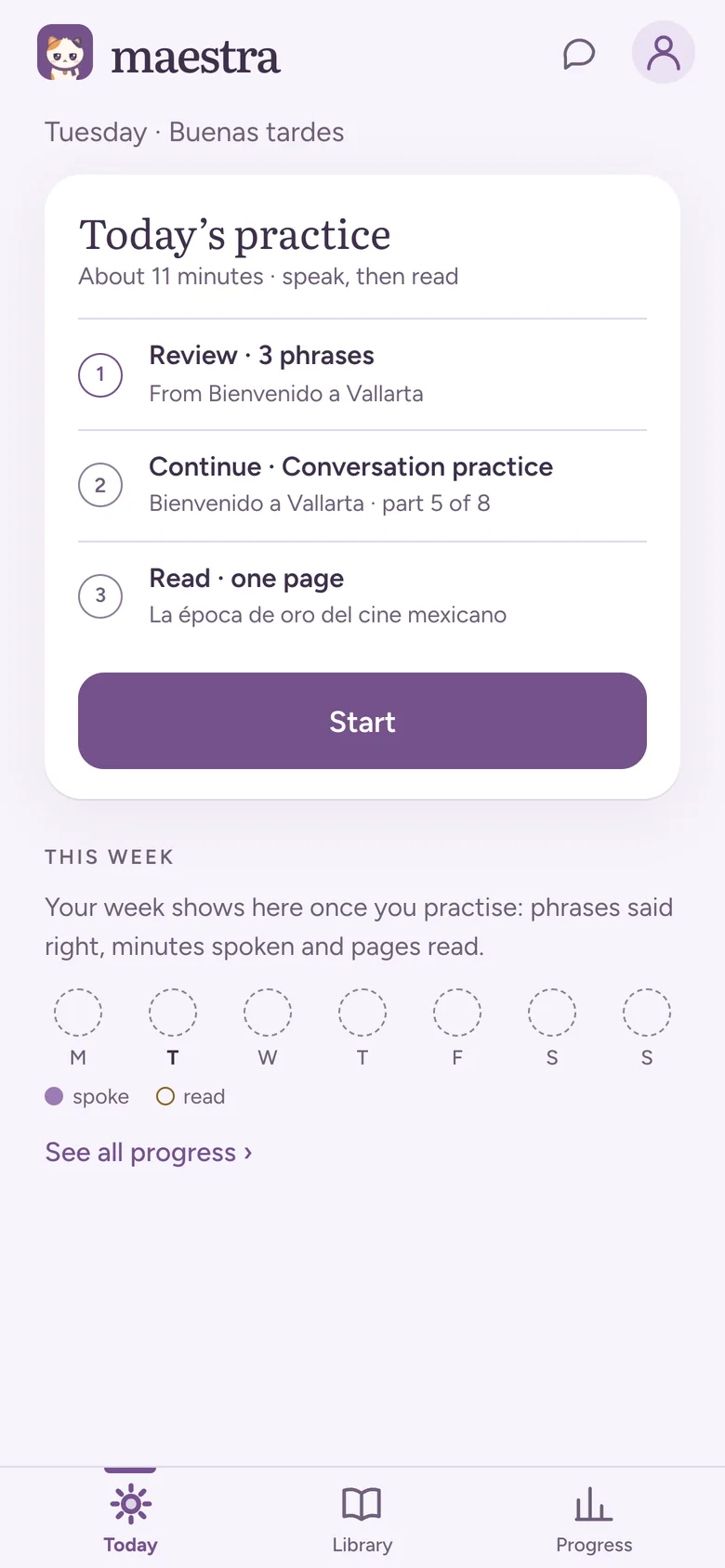
How a day of practice works
Open your next lesson and go through it in order. Each part is its own page; when you finish one, the next is ready. The lessons follow Héctor, sixteen and just arrived from Chicago, through his first months in Puerto Vallarta.
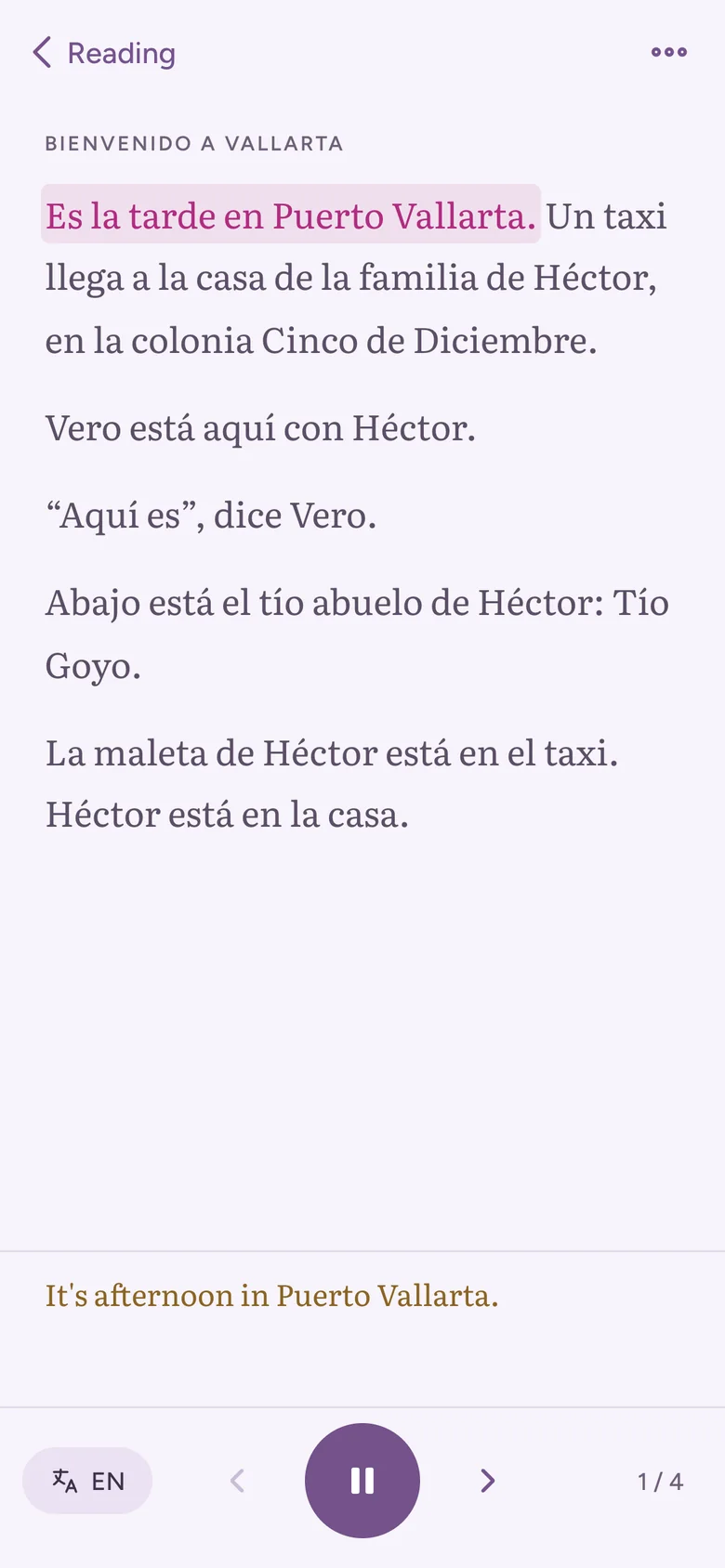
Reading
A short scene from the story, read aloud line by line. The English is one tap away.
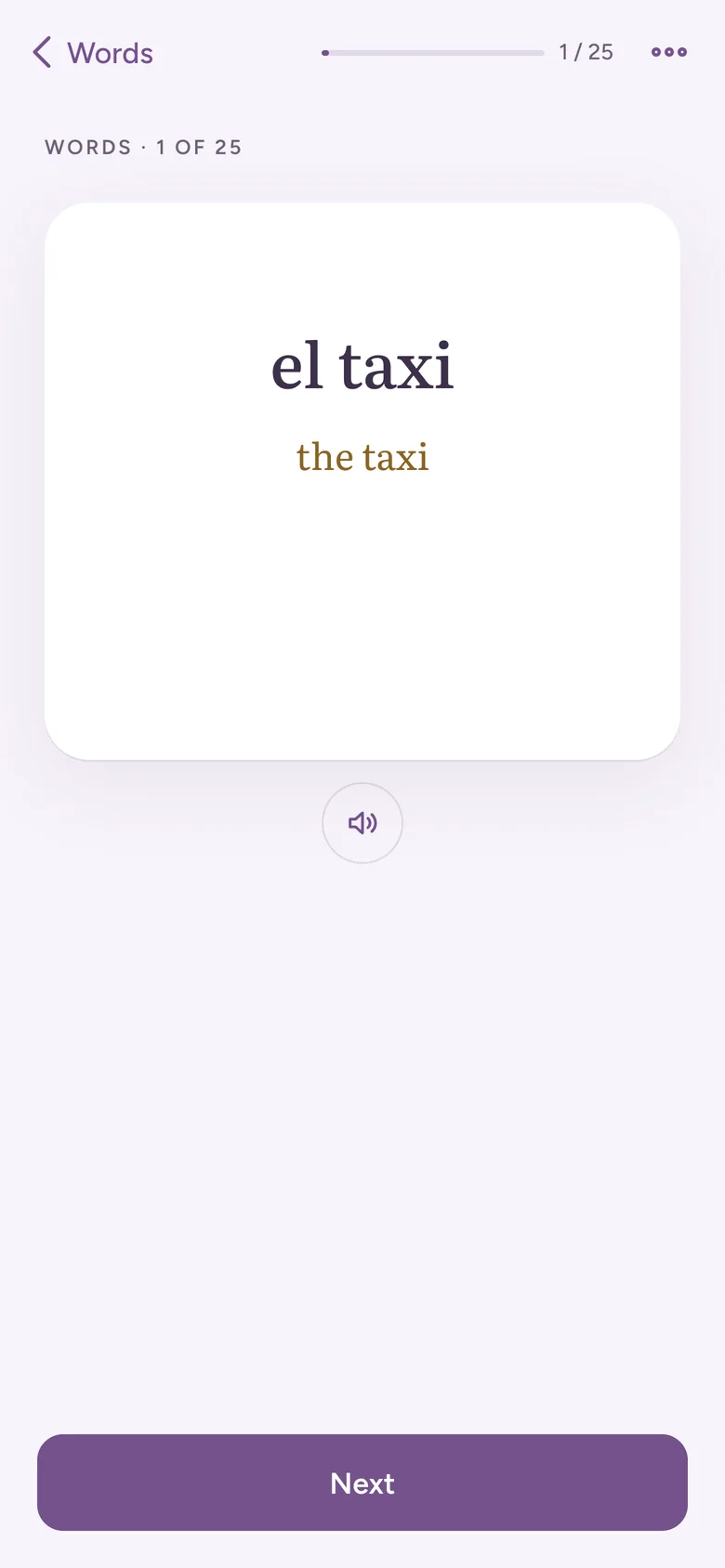
Words
The new words from the scene, each one said and translated.
Grammar
One point at a time, shown with sentences you have just read.
Practice
Short answers that put the new grammar point to work.
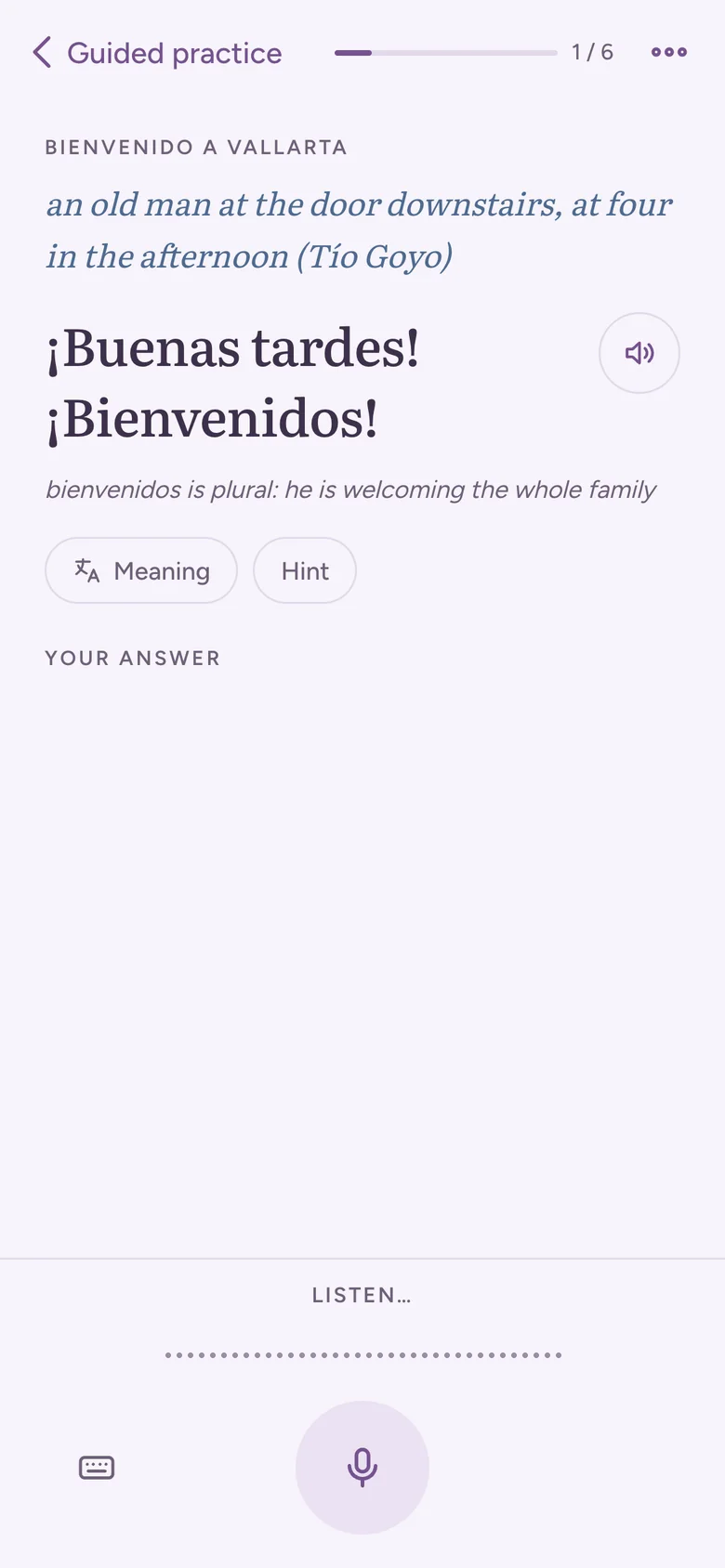
Drill
Answer out loud without help. Maestra scores it, explains the fix and plays a natural reply.
Long read
A longer reading at the end, where the new words turn up again in a real passage.
Then review
What you got wrong comes back first, and further apart each time you get it right. Sign in on any device and your progress is there.
Why Maestra
Built for speaking, not for streaks.
Many language apps are designed to bring you back every day: tap the right tile, keep the streak alive. The habit feels like progress, but it rarely gets you talking or reading. Maestra is built the other way round.
A streak counts days. Maestra counts what you can say.
Say it, don’t tap it
Every answer is a full sentence, out loud. When you can’t talk, type it instead.
Know why it was wrong
Maestra points to the word and tells you what to say instead. It never scores your accent.
Read a story, not a list
Forty connected episodes, set in Puerto Vallarta, with real paragraphs to read in Spanish.
Real Spanish, Mexican voices
The words, the grammar and the situations come from Mexico, and so do the voices you hear.
Who it’s for
For people who want to actually speak
Serious students, 13 and up
High-school students who want more than the worksheet, and adults who want to hold a real conversation — at home, at work or in Mexico.
People with a few spare minutes
A drill is short. Do one while the bus comes, or in a terminal window while your code builds.
Teachers, soon
Class tools are planned for the 2027 school year. Want a say in how they work? Write to us.
For organizations
English for your team’s job
Maestra for organizations is a spoken-English course for Spanish-speaking staff, built for their job and practised on the phone. We start with hospitality.
- Available for organizations
Hospitality
Front desk, restaurant, housekeeping: the English of every shift.
- Coming soon
Advanced customer support
Hard calls and chats in English: complaints, billing, fixes.
- Coming soon
Health: reception and medical tourism
Welcome, register and guide English-speaking patients.
- Coming soon
Public service
Front counters, service desks and tourist offices.
- Coming soon
First responders
The first phrases in an emergency, until an interpreter arrives.
Where to practise
Same lessons, wherever you are
Sign in once and your lessons and progress follow you between your phone, your computer and your terminal.
-
Web app
For phones, tablets and computers, in any modern browser. Add it to your home screen and it opens like an app.
Open the app → -
Mac command line
The whole app in your terminal, every action one key away. Paste this into Terminal, then type
maestra.curl -fsSL https://maestra.sh/install.sh | bashApple silicon Mac with macOS 11 or later; hearing your answer needs macOS 26. Install help
-
iPhone and Android Coming soon
Apps for both are on the way. Until then, the web app works on your phone today.
Questions
Before you start
How is Maestra different from Duolingo?
Duolingo is built around quick tap-and-type exercises and a daily streak. Maestra is built around speaking: you answer each question out loud in a full sentence, hear a natural Mexican reply, and see exactly what to fix and why. Lessons follow a story you read in Spanish, and what you miss comes back in spaced review.
Which Spanish does it teach?
Spanish as it is spoken in Mexico. The vocabulary, the grammar and the situations come from Mexico — ustedes, never vosotros — and the voices are Mexican. The story is set in Puerto Vallarta.
Do I need to talk out loud?
That is what Maestra is built for, and listening is on by default. When you can’t talk, type your answer, or just grade yourself with Got it or Not yet: Maestra works completely without a microphone. It never scores your pronunciation.
How your voice and answers are handled is in the privacy policy.
Is it free?
Yes. Every lesson, reading, drill and review is free with a free account. Maestra never puts lessons behind a price.
Do I need an account?
Yes. Everyone signs in, so your progress is saved and follows you between devices. Maestra is for learners aged 13 and up.
What level is it for?
Maestra starts at A1, the very beginning: forty lessons that follow Héctor through his first months in Puerto Vallarta. Higher levels are being written.
Does it work offline?
Once you have signed in and the app has loaded, lessons and your own grading keep working offline. Scoring, translation and some voices use Maestra’s server, so they need a connection.
Another question? support@maestra.sh · Help
Stop scrolling.
Start speaking.
Your first lesson takes you from “hola” to saying who you are and where you’re from.
Start for freeFree account · ages 13 and up